◆ Built for federal employees & military

Your whole federal retirement,
in one place.

Your TSP, pension, and Social Security — projected together and built on real federal rules. Free, private, and no account to create.

Free. No sign-up. Your data never leaves your device.
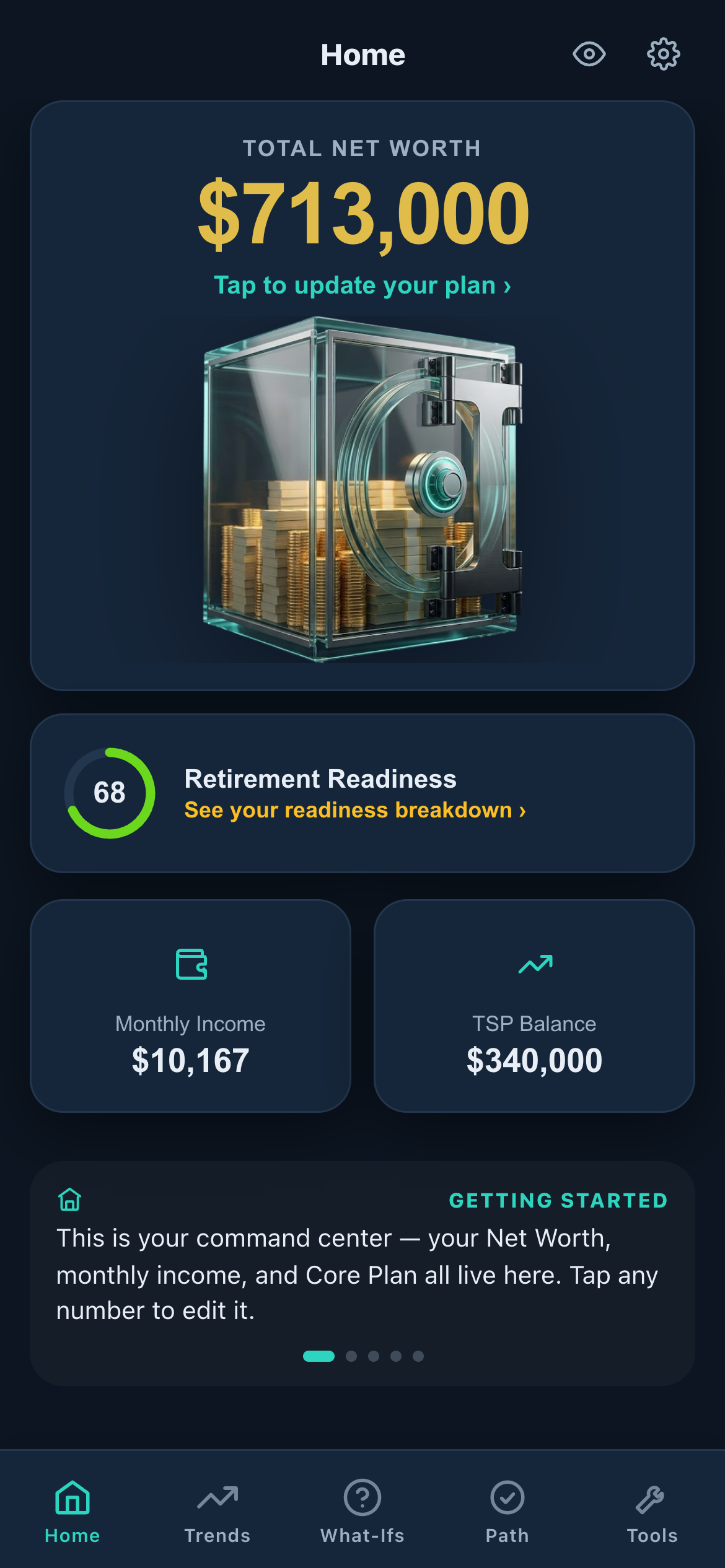
TSP Lab app — your net worth, retirement readiness, and plan at a glance
Built by veterans & federal employees Verified against OPM / DFAS / IRS No tracking, no salesman
What you get

The numbers that actually decide your retirement

TSP Lab puts your whole federal picture in one place — and helps you truly understand it, not just read a number. Most calculators do one piece; this connects them all, with the real dollars.

📈

TSP, projected

See your TSP grow to retirement with agency match, contribution caps, Roth vs. traditional, loans, and RMDs — all on the 2026 limits.

🔀

What-If scenarios

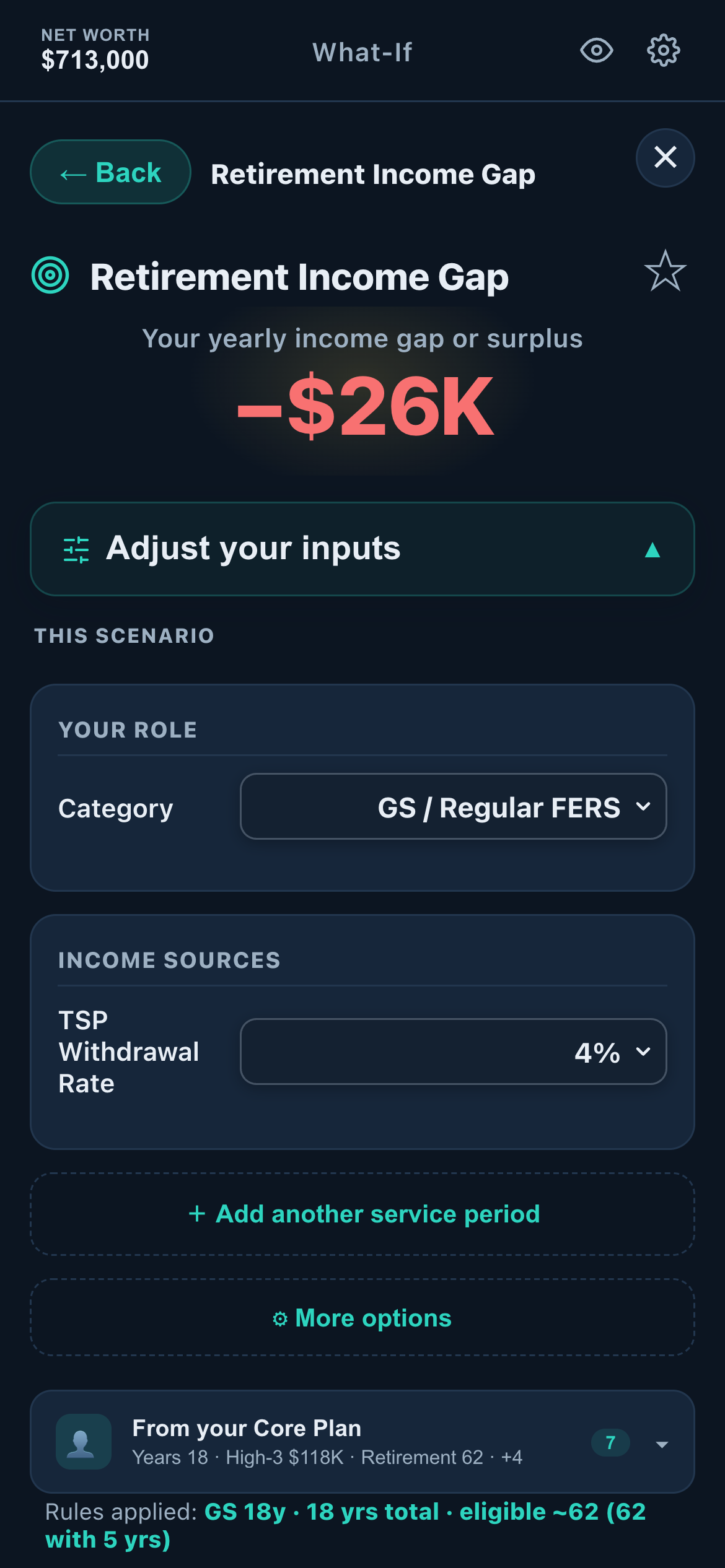
Roth conversions, a PCS move, a military buyback, divorce, an early separation, Social Security timing — see the lifetime impact before you decide.

📊

Your real pension

FERS, CSRS, and military retirement computed with the true formulas — high-3, the 1.1% factor, special-category rules, sick-leave credit, and the FERS supplement.

🗺️

Location-aware pay & tax

A move changes everything. See the locality-pay and state-tax swing between duty stations — the difference a "no income tax" state really makes.

🎖️

Military & Reserve

Active, Reserve, and Guard — drill pay, the points-based age-60 retirement, BRS vs. Legacy, and buying back military time toward a federal pension.

🎯

Your readiness & path

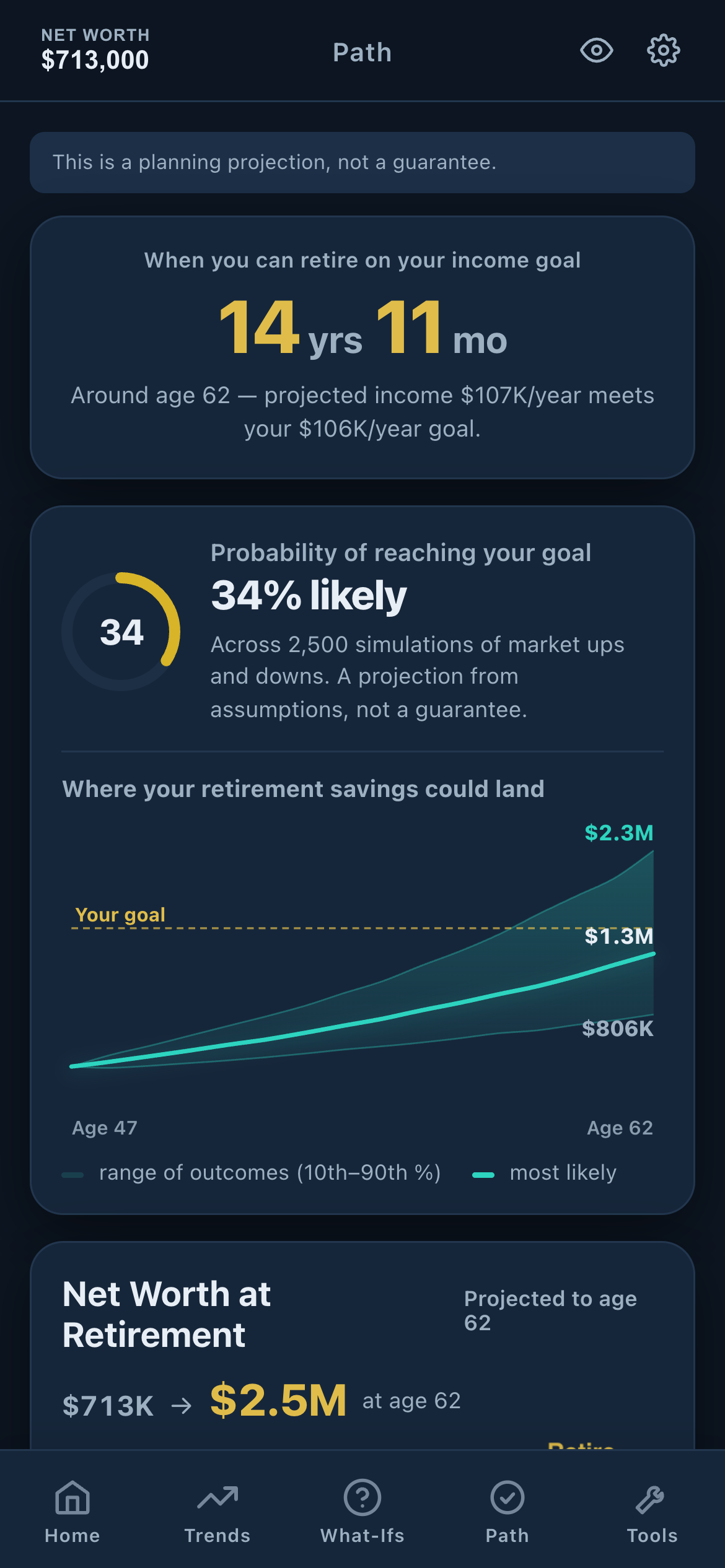
One clear score, your gaps to close, and the year you can actually retire on your income goal — with a probability range, not false certainty.

What sets us apart

Two things no other federal tool gives you

Everyone shows you a pension estimate. Almost no one lets you study the funds and test a strategy against real history — before you move a dollar.

★ Flagship
🧭

TSP Strategy Builder

Compose your own fund moves across the G, F, C, S, I, and Lifecycle funds — then see how that strategy would actually have played out against real market history. Backtest before you commit.

  • Build and compare allocation strategies side by side
  • See how your moves would have performed, day by day
  • Learn what worked — without risking a real dollar
★ Flagship
📅

Historic Funds Calendar

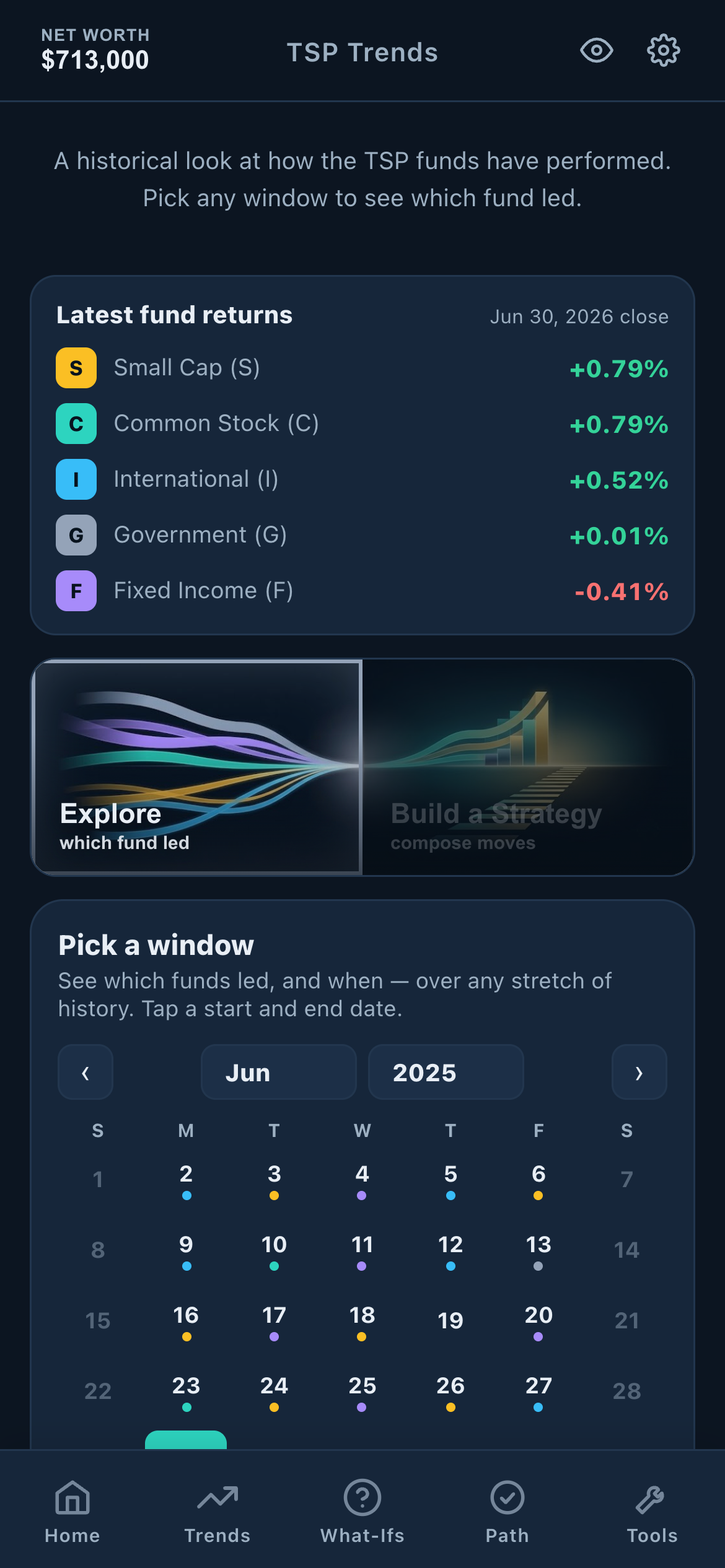
See exactly which TSP fund led — day by day, across any window you pick — plus a calendar of real historical returns. Leadership shifts over time, and now you can see it, not guess it.

  • Which fund led, any period you choose
  • Real historical returns on a clean calendar
  • For learning from what happened — never hype
How it works

Three steps. A few minutes.

1

Enter your basics

Your system (FERS, CSRS, military), grade or rank, service years, and TSP balance. No account, no email — it lives on your device.

2

See your full picture

Your projected pension, TSP, Social Security, and net worth to retirement — with a readiness score and the gaps to close.

3

Run the what-ifs

Test a move, a Roth conversion, an earlier retirement — and watch the real lifetime numbers change before you commit.

See it in action

Clean, clear, actually usable

No spreadsheets. No jargon walls. Just your federal retirement, shown the way it should be.

TSP Lab home dashboard
Your dashboardNet worth, readiness & income
Retirement path projection
Your pathWhen you can retire
What-If scenario result
What-If scenariosTest any decision
TSP Trends and Strategy Builder
Strategy BuilderStudy the funds
Who it's for

Built for people who serve

If your retirement runs on FERS, CSRS, the TSP, or military time — this was made for you.

🏛️
Civil servantsFERS & CSRS
🎖️
MilitaryActive, Reserve, Guard
🚔
Special categoryLEO · FF · ATC
🔄
Mil-to-fedBuyback & transition
🔒

Your numbers stay yours

TSP Lab runs entirely on your device. There's no account to create, nothing to sign in to, and your financial details are never sent to a server, sold, or handed to an advisor waiting to call you. Just the math — private, and yours.

Questions

Good to know

Is it really free?

Yes. The tool is free to use, with no account and no sign-up. We built it to be the honest front door for federal retirement planning — not a lead form for someone to sell you an annuity.

How accurate are the numbers?

Every calculation is built from the actual federal rules — OPM for FERS/CSRS, DFAS for military pay, IRS and tsp.gov for TSP limits and taxes — and checked against those sources. It's a planning projection, not a guarantee, and it's clear about its assumptions.

Do you store or track my data?

No. Your inputs stay on your own device (in your browser's local storage). Nothing is uploaded to a server, and there's no third-party tracking on the app.

Which systems does it cover?

FERS, CSRS, and CSRS Offset; military BRS and Legacy High-3; Active, Reserve, and Guard; and special-category service (Law Enforcement, Firefighter, Air Traffic Control). Mixed careers — like military-to-federal — are supported too.

Is this financial advice?

No. TSP Lab is an educational planning tool that shows you the numbers. It doesn't recommend products or tell you what to do — that's your call, ideally with a fiduciary you trust.
Use it like an app

Add it to your home screen

No app store, no download. Save TSP Lab to your phone in a few taps and it opens full-screen, just like a regular app.

📱 iPhone & iPad (Safari)
  1. Open TSP Lab in Safari (tap "Build your plan" above).
  2. Tap the Share button — the square with an up-arrow, at the bottom of the screen.
  3. Scroll down and tap Add to Home Screen.
  4. Tap Add — the TSP Lab icon is now on your home screen.
🤖 Android (Chrome)
  1. Open TSP Lab in Chrome (tap "Build your plan" above).
  2. Tap the menu in the top-right corner.
  3. Tap Add to Home screen (or Install app).
  4. Tap Add — done. The icon's on your home screen.

See where you actually stand.

A few minutes, no account, and your real federal retirement picture — pension, TSP, and all.

Open TSP Lab →